Run a repeatable review of AI-drafted copy, with separate passes for structure, voice and facts, before it reaches a client.
Why review is now most of the job
Most copywriters who use AI start the same way: open a chat, paste a request, get a draft, fix it. It works until it does not. The draft is generic, the voice drifts, a claim appears that nobody approved, and the fixing takes longer than writing from scratch would have.
The problem is usually not the prompt. It is that review is treated as a quick read at the end, when it is now the part of the work that decides quality. A one-pass read tries to catch weak structure, off-brand phrasing and invented facts at the same time, and it misses at least one of them.
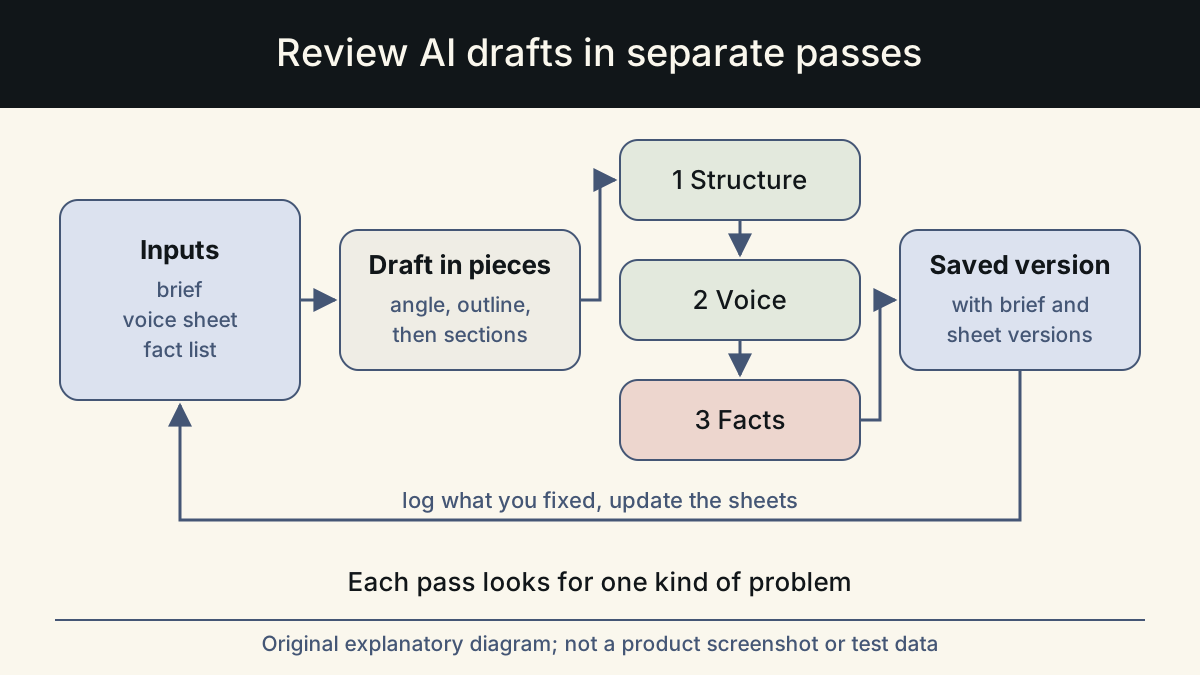
This workflow gives review a fixed shape. You prepare three inputs once, draft in small pieces so there is less to check, and then review in separate passes, each looking for one kind of problem.
Before the draft: three inputs you review against
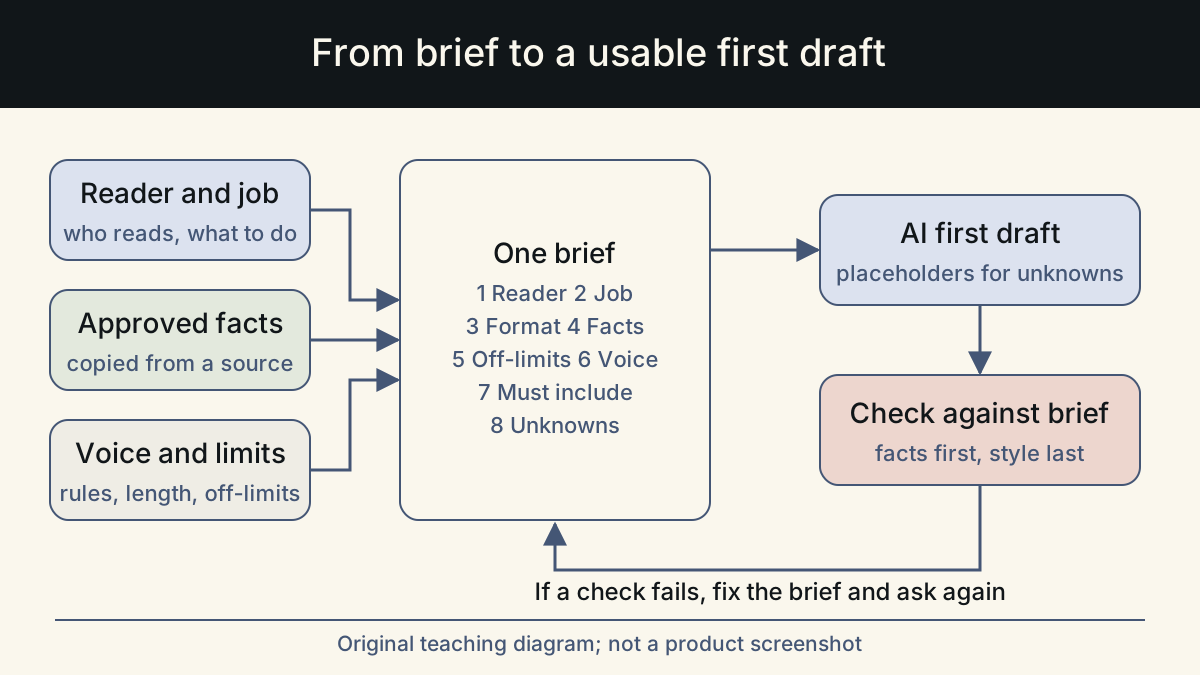
You cannot review a draft against nothing. Each of these inputs becomes a yardstick later, which is why it is worth writing them down instead of keeping them in your head.
The brief comes first. Write who it is for, in one sentence that includes the situation they are in. Name the one job of the piece. Say where it appears, with its length and format limits. State the offer and its terms exactly as they are today. If you cannot fill these in, go back to the client. A thin brief produces generic copy no matter how you prompt.
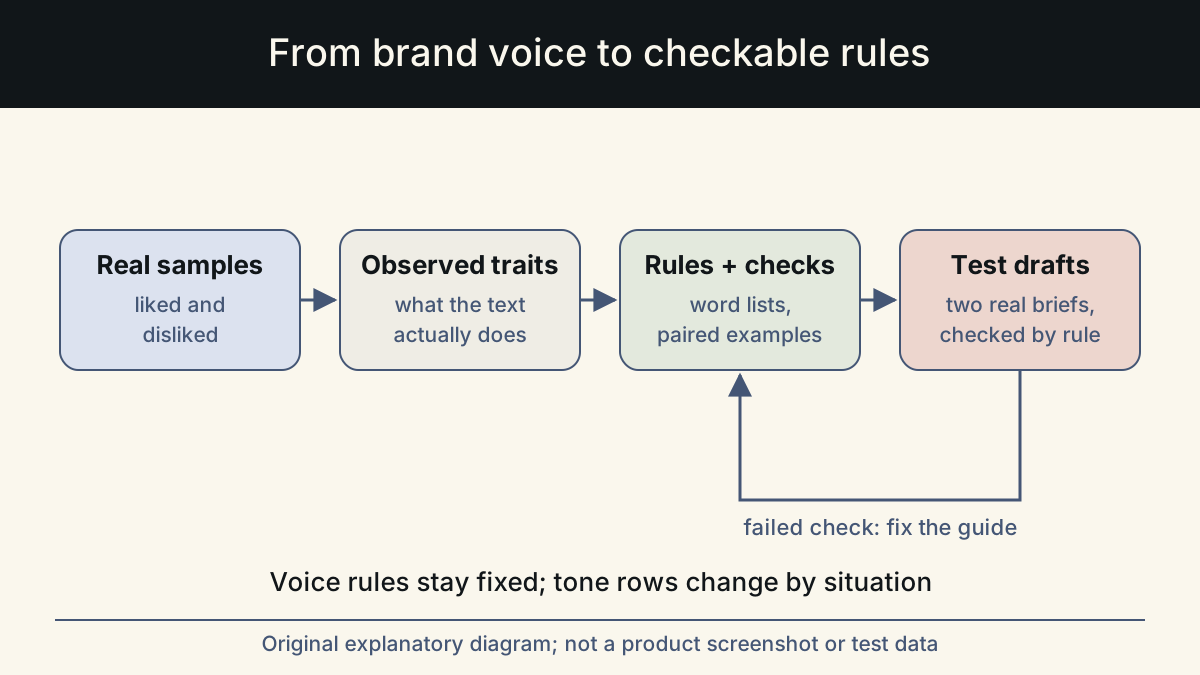
The voice sheet is one page per client. It holds five to eight rules you can check, such as 'sentences under 25 words' or 'open with the point'. It adds a short list of words the brand uses and avoids, and two or three samples the client likes.
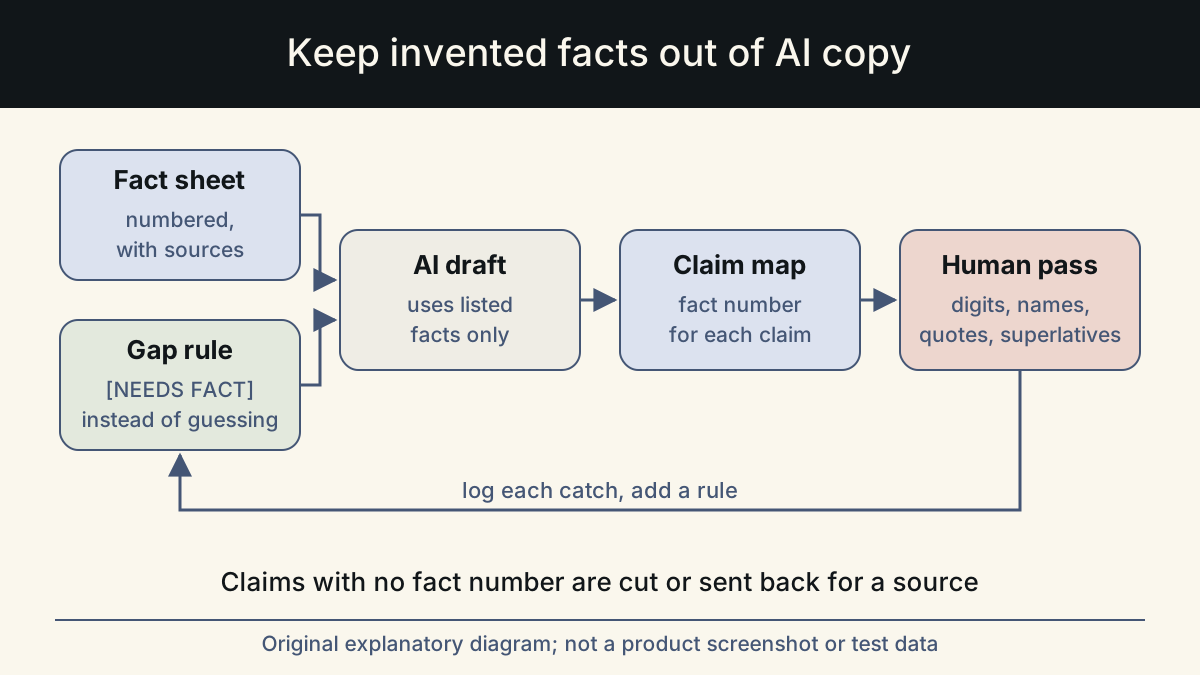
The fact list is a numbered list of statements the copy may make, each with its source. Below it goes a list of things the copy must never say: invented numbers, customer names, quotes, competitor comparisons and superlatives you cannot back. Tell the model to use only the list and to leave a visible [NEEDS FACT] marker where something is missing.
Draft in pieces so there is less to review
A long draft produced in one go is hard to review because every problem is tangled with every other. Work in the order you would by hand, and review each piece before the next one is written.
- Angles: ask for five different angles in one line each. Pick one or combine two. Review question: does this angle serve the one job in the brief?
- Outline: ask for headings or beats with a one-line purpose each, then reorder them yourself. Review question: does each beat earn its place?
- Sections: draft one section at a time with the brief, voice sheet and fact list attached each time. Short pieces drift less.
- Headlines and subject lines last: ask for ten, find the two with some life, and write the final one yourself.
Review in three separate passes
Once the full draft exists, review it three times, each time for one thing. Separate passes feel slower, but they are faster than one long read that misses problems and sends the copy back later.
Google's guidance on helpful content asks whether a page offers original information and whether it would leave a reader feeling they learned enough. That is a useful question for the structure pass. When the client has no style guide of their own, plain language guidance is a good reference for the voice pass. The GOV.UK writing guidelines and the digital.gov plain language guides are two examples.
| Pass | Look for | Fix by |
|---|---|---|
| 1. Structure and substance | Throat-clearing openings, summaries that repeat the body, sentences that could sit on any other page | Cutting, reordering, and adding the specific detail you know from the client or your notes |
| 2. Voice | Phrases the client would never use, rules on the voice sheet that are broken, stock AI phrases such as 'it's important to note' | Reading aloud and rewriting lines in the way the brand would say them |
| 3. Facts | Digits, proper nouns, quotation marks, superlatives, time words such as 'new' and 'now', and any [NEEDS FACT] marker | Checking each against the fact list; anything unsupported comes out or goes back to the client for a source |
What the edit looks like in practice
The structure and voice passes are where the copy becomes yours. You are not tidying a draft; you are the writer, and the draft is raw material. Here is a short email intro for a bookkeeping service, before and after the three passes. In the before version, the number and the word 'trusted' had no source on the fact list, so the fact pass removed them, and the voice pass cut the generic opener.
When to bring in a second reader, and a sign-off checklist
For anything that carries risk, such as a pricing page, an ad or a launch announcement, have a second person do the fact pass. Make it a fresh pair of eyes, not the chat that wrote the draft: a model reviewing its own text in the same conversation tends to defend it. If you use a model for a first check, open a new session with only the fact list and the draft, and ask it to list unsupported claims without rewriting anything.
Before the copy goes to the client, run a short checklist:
- The piece does the one job named in the brief.
- Every number, name, quote and superlative matches a line on the fact list.
- No [NEEDS FACT] markers remain, or each one is listed as a question for the client.
- Each rule on the voice sheet holds; you have read the copy aloud once.
- Length and format fit the channel named in the brief.
- You could explain where each claim came from if the client asked.
Save, log, improve
Save the final version with the brief, the voice sheet version and the fact list version it was checked against. Then write two or three lines. Note what the model got wrong and what you added that it could not have known. Name the rule you will add to the voice sheet or fact list so the next draft starts closer. After a handful of jobs for one client, both documents are better than when you started, and each review pass has less to find.
If you would rather work from forms than a checklist, Whalory is one option. It is a writing workspace for professionals who write with AI. It offers task-specific forms per profession, brand voice, and a review step that keeps approved facts and removes invented claims. Online Studio runs in the browser, needs no personal AI key, and has free trial credits with no card needed.
Whether you use a tool or a folder of text files, the order of the stages and the separation of the passes are what make the review work.
Sources
- Creating helpful, reliable, people-first content (Google Search Central)
Self-assessment questions about original information and reader satisfaction, used for the structure pass.
Checked: November 10, 2026
- Writing guidelines (GOV.UK content and publishing guidance)
Reference for clear language, structure and tone in the voice pass.
Checked: November 10, 2026
- Plain language guide series (Digital.gov)
Plain language principles and guidance on writing and testing for understanding.
Checked: November 10, 2026
- Reduce hallucinations (Claude documentation)
Restricting the model to supplied facts and verifying claims, used in the fact list and fact pass.
Checked: November 10, 2026
This article was written and reviewed with AI assistance. The sources above are there for you to check. Weigh the advice against your own situation.
Try this method on your own writing
Spotted a mistake or something unclear? Report it on GitHub. The article name and the section are enough; do not put confidential details in a public report.