Write a short brief that gets a usable first draft from an AI model, and check that draft against the brief instead of against gut feeling.
Why a one-line request gives you a generic draft
"Write a product update email about the new export feature" looks like a clear request. It is not. The model does not know who receives the email or what they already know. It does not know which facts are confirmed, how long the email should be or what the reader should do next. When information is missing, the model fills the gap with the most common pattern it has seen. That is why so many AI drafts open with a broad statement, list three vague benefits and close with a generic call to action.
Anthropic's prompting guide puts it plainly: treat the model like a brilliant but new employee who has no context on your norms and workflows. It also suggests a test. Show your prompt to a colleague who knows little about the task. If they would be confused, the model will be too. A brief is simply the document you would hand that colleague.
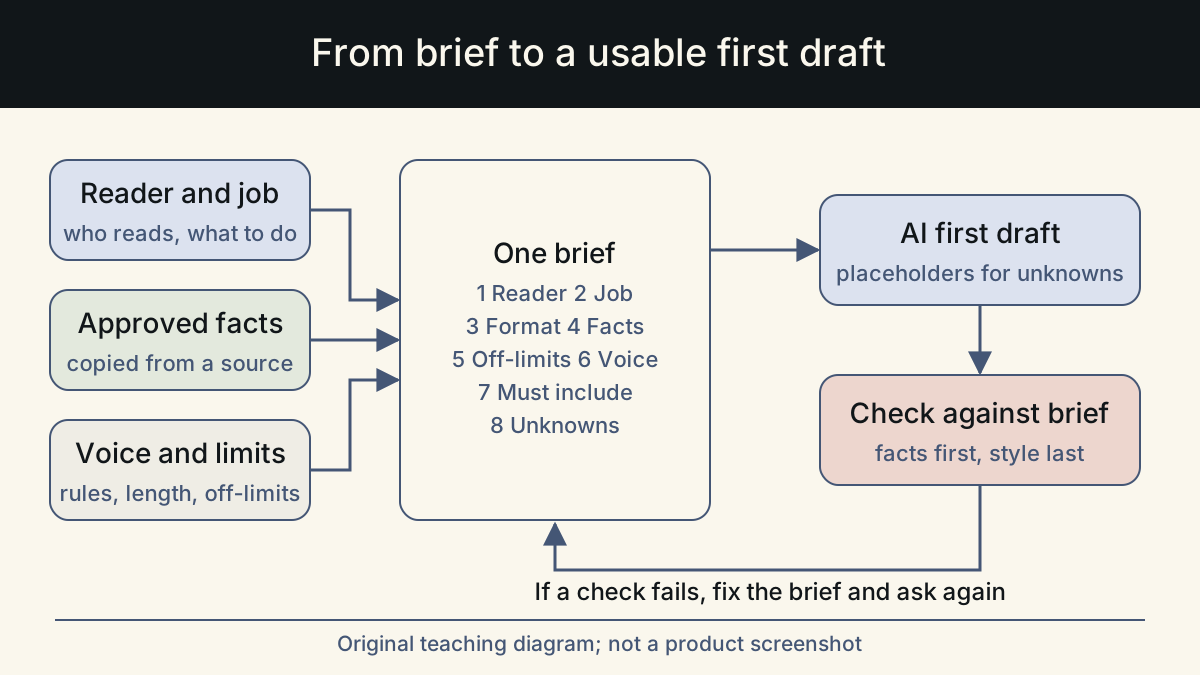
The good news is that a useful brief is short. You do not need a page of instructions. You need the right eight answers, written plainly, with the facts kept separate from the style notes. The template below fits on one screen and works for emails, landing page sections, help articles, social posts and internal updates.
The eight-field brief template
Copy these fields into a note, a document template or the first message of a chat. Fill every field, even if the answer is "none". An empty field tells you where the model will guess.
The order matters. Reader and job come first because they decide everything else. Facts come before voice because accuracy matters more than style. Limits come last because they are easiest to check.
| Field | What to write | Short example |
|---|---|---|
| 1. Reader | Who reads this, what they already know, what state they are in | Account admins on the Team plan who asked for CSV export |
| 2. Job | The one thing the reader should know or do after reading | Try the new export and know where to find it |
| 3. Format and channel | Where it appears and the length or structure it needs | Email, under 150 words, one link |
| 4. Approved facts | Every fact the draft may state, copied from a source | Export is in Settings > Data; formats CSV and XLSX; live for all Team accounts |
| 5. Off-limits | Claims, topics or words the draft must not include | No release dates for PDF export; no performance claims |
| 6. Voice | Three or four plain rules, plus one sample you like | Direct, second person, no exclamation marks |
| 7. Must include | Required elements such as a link, a legal line or a name | Link to the help article; sign-off from the product team |
| 8. Unknowns | What you have not confirmed, and what the model should do about it | Exact row limit unknown: write [ROW LIMIT] as a placeholder |
How to fill each field without writing an essay
Each field has a common failure. Knowing it in advance saves a rewrite.
Reader and job are where most briefs go wrong, because writers describe the company instead of the person reading. GOV.UK publishing guidance writes a user need in three parts: as a certain user, I need to do something, so that I get a result. That frame works well for the first two fields. If you cannot finish the sentence, you are not ready to ask for a draft.
- Reader: name a role and a situation, not a demographic. "Admins who requested export in support tickets" beats "B2B users aged 25 to 45".
- Job: one verb. If you write two jobs, you will get a draft that does neither well. Split it into two pieces.
- Format: give a number. "Short" means different things to different people and models. "Under 150 words" or "three bullets and one sentence" can be checked.
- Approved facts: paste them from the source, such as a release note, a spec or a policy page. Do not paraphrase from memory. Write each fact on its own line so it is easy to tick off later.
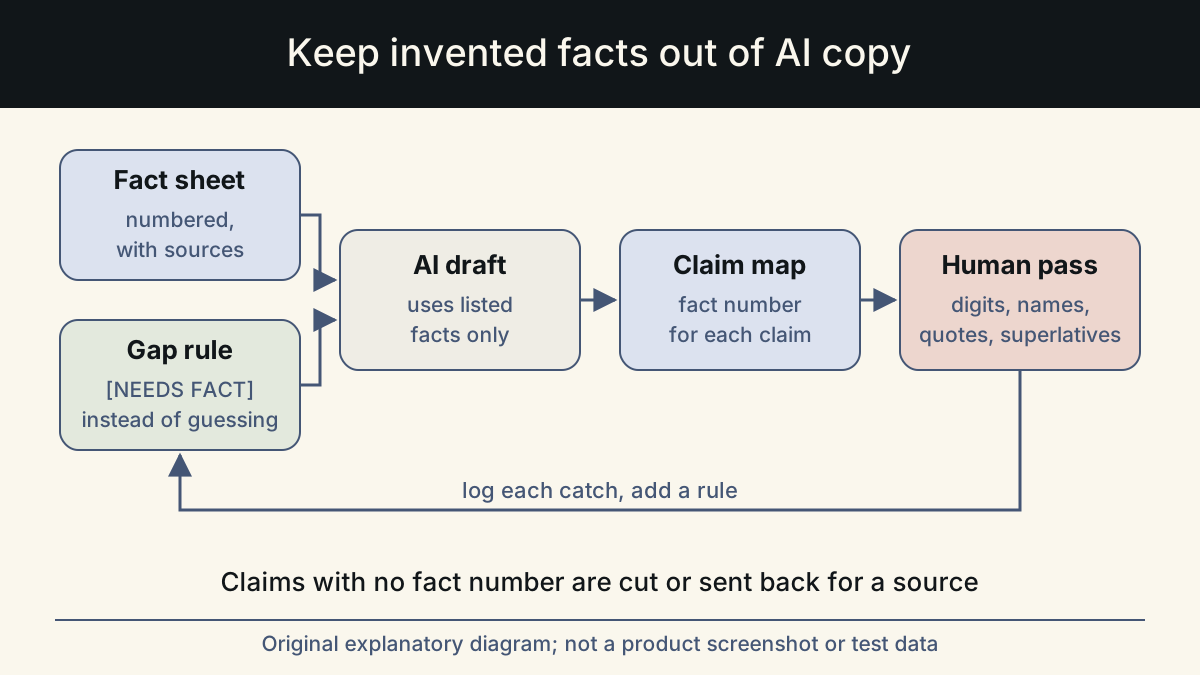
- Off-limits: list the claims you know are tempting but not true yet. Models fill silence with plausible details, and this field is where you block the predictable ones.
- Voice: rules beat adjectives. "Friendly but professional" gives the model nothing to act on. "Use you and we, keep sentences under 20 words, no exclamation marks" does.
- Must include: anything a reviewer will reject the draft for missing. Links, legal lines and names belong here.
- Unknowns: tell the model to leave a visible placeholder in square brackets rather than guess. A placeholder is quick to fill. An invented number is hard to spot.
A brief in action: before and after
Here is the same task asked two ways. Both outputs are illustrative, written for this article to show the pattern. They are not results from a specific model or customer.
The first request produced a draft with an invented launch claim, a feature that does not exist yet and a generic close. The second brief is longer to write, but every sentence in its draft can be traced back to a line of the brief. Notice that the improved draft kept the placeholder instead of inventing a row limit.
Check the draft against the brief, not your taste
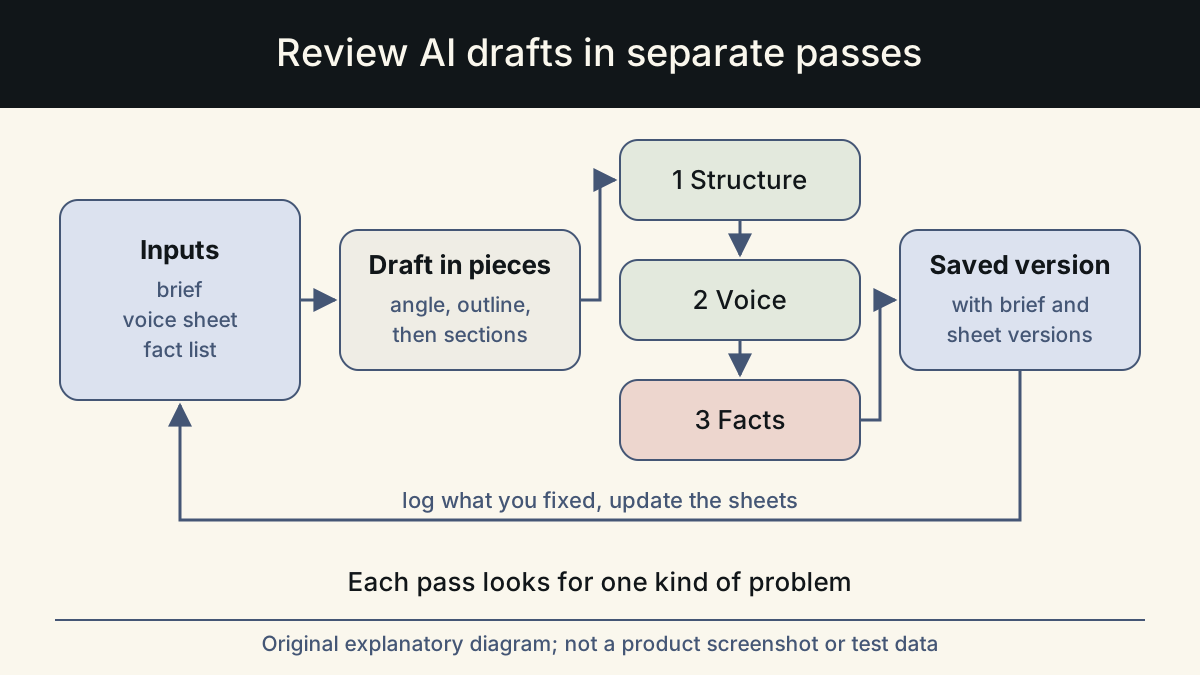
A brief is also a review tool. When the draft comes back, compare it with the brief line by line before you edit for style. This keeps feedback specific and stops the endless "make it pop" rounds that happen when nobody agreed on the goal.
Anthropic's guidance on reducing hallucinations makes two suggestions. Let the model say it does not know. Ask it to support each claim with a quote from the supplied material, and to remove any claim it cannot support. You can add one line to your brief that does both: "Use only the facts listed above. If a sentence needs a fact that is not listed, leave a placeholder in square brackets."
Run this check in the order below. If the draft fails an early item, fix the brief and ask again rather than editing around the problem.
- Every factual statement matches a line in the Approved facts field, word for word in meaning.
- Nothing from the Off-limits field appears, including softened versions of it.
- The draft serves the one job you named. A reader could act on it without asking a question.
- Length and structure match the Format field.
- Every Must include item is present and correct, including links.
- Placeholders are visible and listed for whoever owns the missing facts.
- Only now: read it aloud and adjust voice and rhythm.
Make the brief a team habit
The template pays off most when the whole team uses it. Store a blank copy where people start work. Keep filled briefs next to the final text. The next person writing about the same feature then starts from confirmed facts instead of an old draft. When a reviewer rejects a draft, ask which field was missing or wrong, and fix the template if the same gap keeps appearing.
Over time, two fields become reusable: voice rules and off-limits claims. Write them once per brand or product and paste them into every brief. The reader, job, facts and unknowns stay specific to each piece, which is where your attention should go.
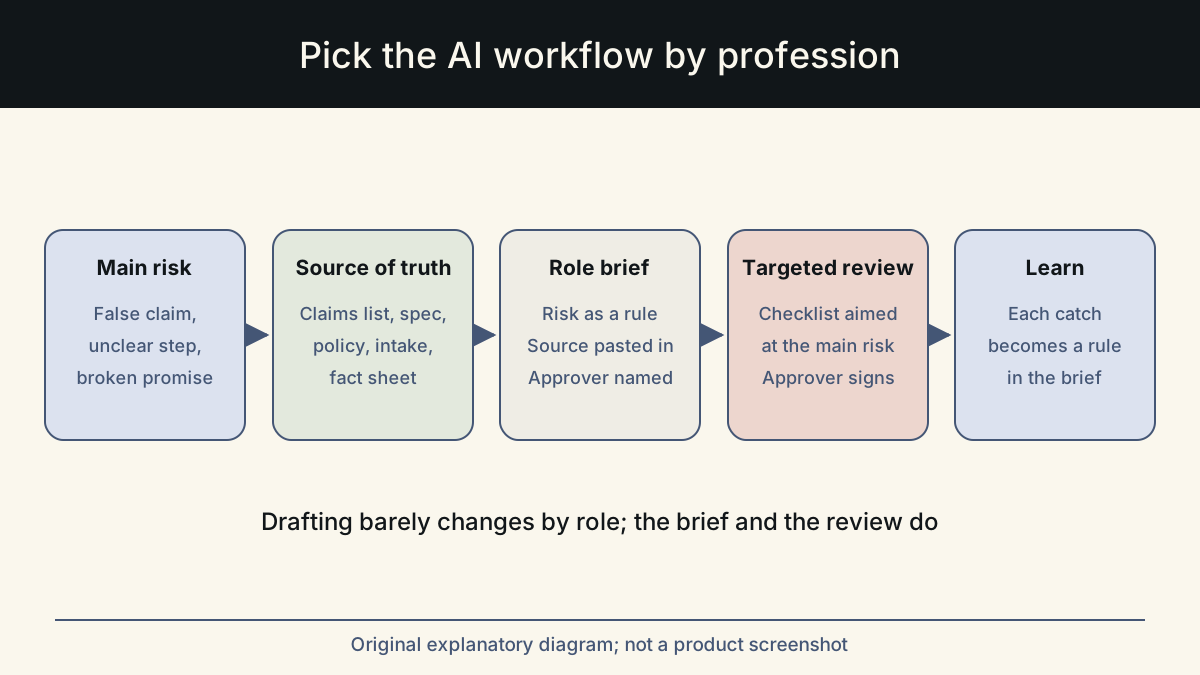
One way to work this way is Whalory, a writing workspace for professionals who write with AI. It gives the AI task-specific forms per profession, along with brand voice and a review step that keeps approved facts and removes invented claims. In the Online Studio the flow is brief, AI draft within a credit limit, your review, then a saved version. Before and after examples on the Whalory site are illustrative, like the ones in this article.
Sources
- Prompting best practices (Claude documentation)
The new-employee framing, the colleague test for clarity, and the advice to give context and examples.
Checked: November 10, 2026
- Reduce hallucinations (Claude documentation)
Allowing the model to say it does not know, and asking it to support or retract each claim using supplied material.
Checked: November 10, 2026
- Identify user needs (GOV.UK publishing guidance)
The three-part user need format used to fill the Reader and Job fields.
Checked: November 10, 2026
This article was written and reviewed with AI assistance. The sources above are there for you to check. Weigh the advice against your own situation.
Try this method on your own writing
Spotted a mistake or something unclear? Report it on GitHub. The article name and the section are enough; do not put confidential details in a public report.