Choose and set up an AI writing workflow that fits your profession's main risk, source of truth and approval step.
Same model, different jobs
Most teams start using AI for writing the same way: one chat window, one general prompt, and whatever comes back. That works for a while, then each group finds its own failure. Copywriters see invented product claims. UX writers get button labels that are clever but unclear. Support agents get replies that promise refunds the policy does not allow. Recruiters get job posts full of phrases that screen people out.
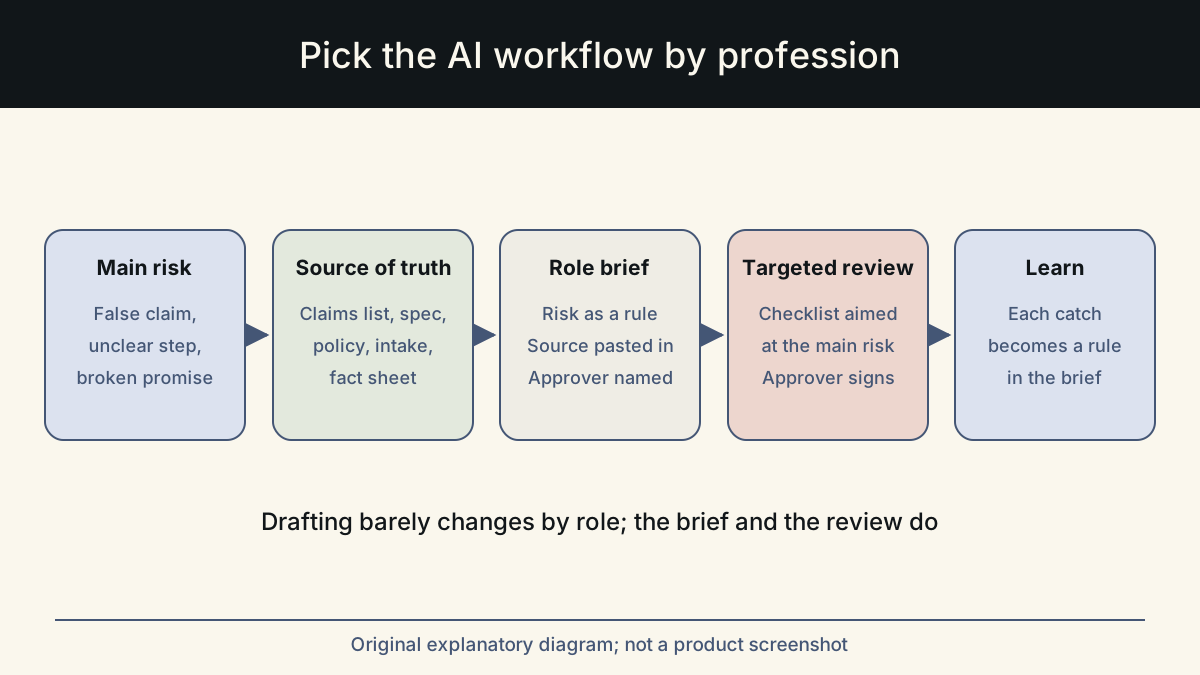
These are not random errors. Each profession has a main risk, a place where its facts live, and a person who has to approve the result. A workflow that ignores those three things will fail in a predictable way. A workflow built around them catches the failure before it reaches a reader.
This guide gives you the three questions, a table that answers them for nine common writing roles, and a short setup routine. You do not need a new tool to use it. You need a brief that matches your job and a review step that looks for the right problem.
Three questions that decide the workflow
Answer these before you write a single prompt. The answers tell you what to put in the brief and what to check in the draft.
Anthropic's prompting guidance suggests treating the model like a capable new colleague who lacks context on your norms. The three questions are a quick way to supply that context: what can go wrong, where the truth is kept, and who signs off.
- What is the main risk? The one mistake that would do the most harm in this kind of text: a false claim, a confusing instruction, a broken promise, an unfair phrase.
- Where is the source of truth? The document the draft must agree with: an approved-claims list, a design spec, a policy page, a pricing sheet, a hiring intake.
- Who approves? The person whose name or responsibility the text carries: a brand owner, a product lead, a support lead, a hiring manager, a spokesperson.
The workflow by profession
The table below is a starting point, not a rulebook. Your team may have a different approver or a stricter source of truth. What matters is that each row has an answer, and that the review step looks for the risk named in the first column.
Notice that the drafting step barely changes across rows. The differences are almost all in what you feed the model and what you check afterwards. That is where profession-specific workflows earn their keep.
Some roles share a row in practice. A content marketer may need both the content writer's sourcing discipline and the marketer's care with offers. In that case, combine the sources of truth and keep both review lines. What you should avoid is dropping a check because the piece feels routine; routine pieces are where invented details go unnoticed.
| Role | Main risk | Source of truth | Approver | Review focus |
|---|---|---|---|---|
| Copywriter | Invented or inflated claims | Approved-claims list and brief | Brand or product owner | Every claim traced; voice matches samples |
| UX writer | Unclear or inconsistent instructions | Design spec and terminology list | Product designer or PM | Plain words; same term for the same thing |
| Content writer | Unsupported facts and thin sources | Research notes with checked links | Editor | Each fact has a source; reader's question answered |
| Product manager | Open questions written as decisions | Decision log and meeting notes | Product lead | Decided, assumed and open kept apart |
| Marketer | Offers and terms that do not match | Campaign brief and offer terms | Marketing lead and legal | Prices, dates and conditions exact |
| Customer support | Promises the policy does not allow | Help center and policy pages | Support lead | No commitment beyond policy; next step clear |
| Sales | Overpromising and false personalization | Account notes and product facts | Account owner | Only true details about the prospect |
| Recruiting | Exclusionary or vague language | Hiring intake | Hiring manager and HR | Fair wording; pay and process stated |
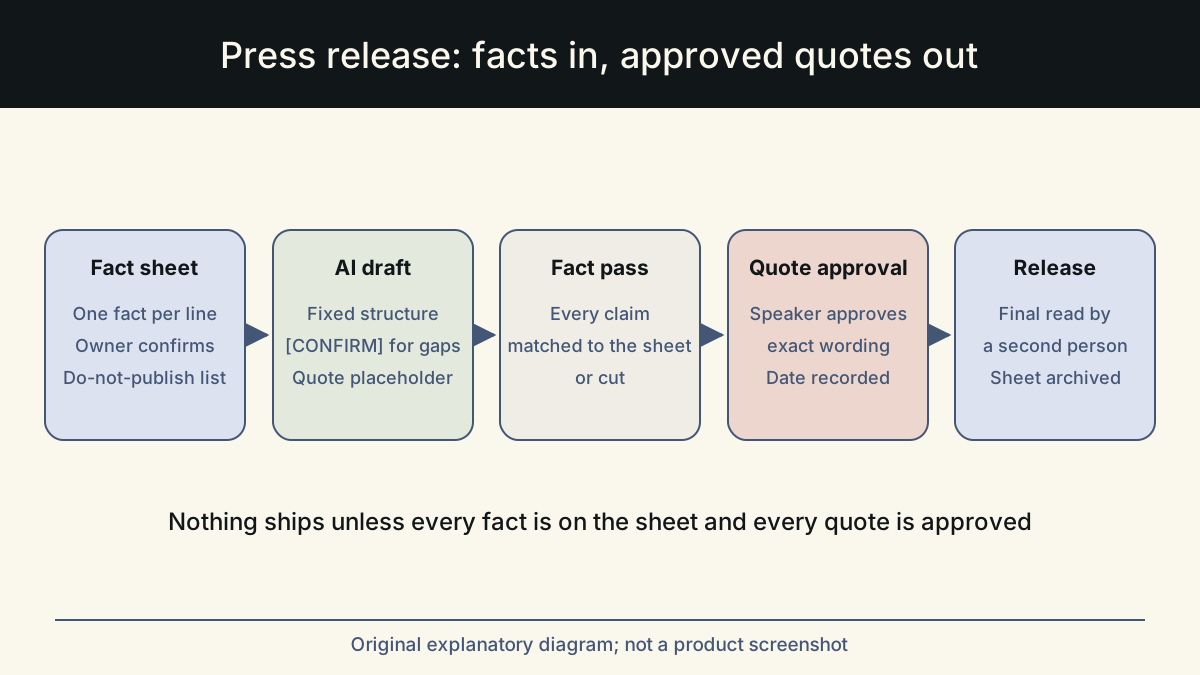
| PR | Invented quotes and figures | Fact sheet and approved quotes | Spokesperson and PR lead | Quotes verbatim; every number on the sheet |
What a profession-specific brief changes
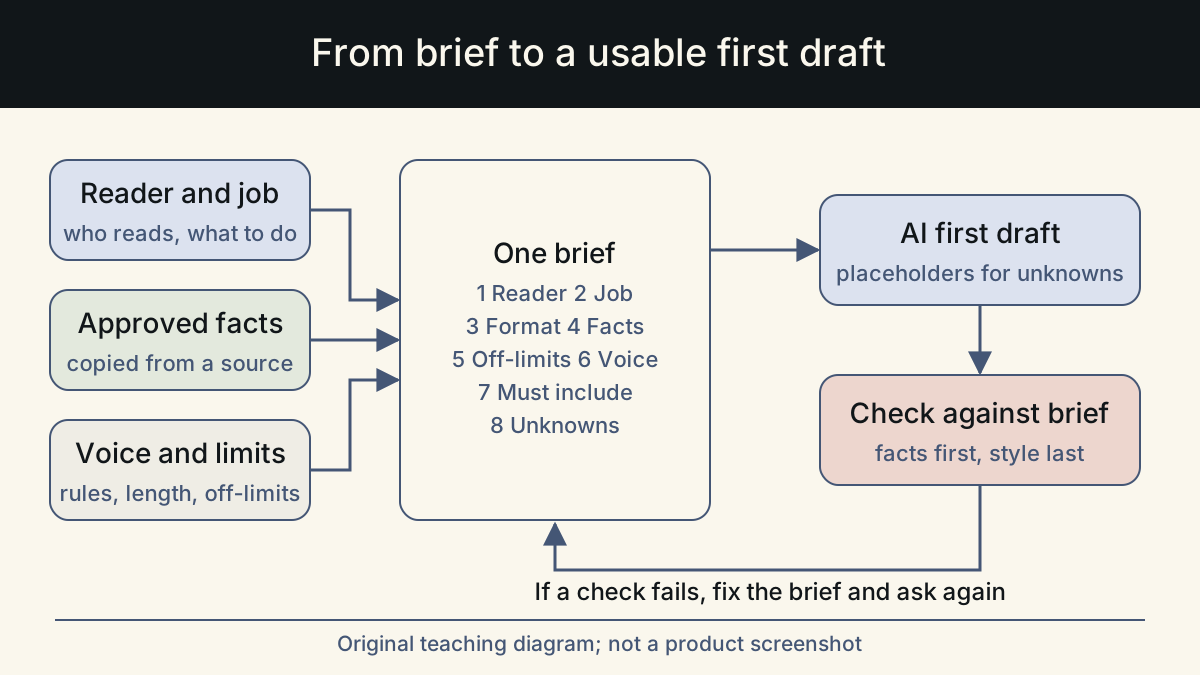
The easiest way to see the difference is to compare a general prompt with one built from the three answers. The example below is for a support reply. The same pattern applies to every row in the table: name the source of truth, state the main risk as a rule, and say who will review.
The second version is longer, but most of it can be saved and reused. Only the customer message and the ticket details change each time.
The same move works for other roles. A UX writer's brief names the terminology list and says 'use the same term for the same action on every screen'. A recruiter's brief pastes the hiring intake and says 'do not add requirements or benefits that are not in the intake'. A PR brief pastes the fact sheet and says 'leave the quote as a placeholder'. In each case, one sentence turns the main risk into a rule the model can follow and the reviewer can check.
Set up your workflow in five steps
You can set this up in an afternoon. Do it once per role, then refine it after the first few real uses. GOV.UK's content design guidance starts with user needs, and the same applies here. Begin with what the reader of your text needs to do or find out. Then build the workflow around protecting that.
- Write your three answers in one short paragraph and share it with the approver.
- Collect the source of truth into one document the model can be given in full.
- Build a reusable brief: audience, goal, source of truth, the main risk as a rule, tone, length, and a marker such as [CONFIRM] for gaps.
- Write a review checklist of five to eight lines aimed at the main risk.
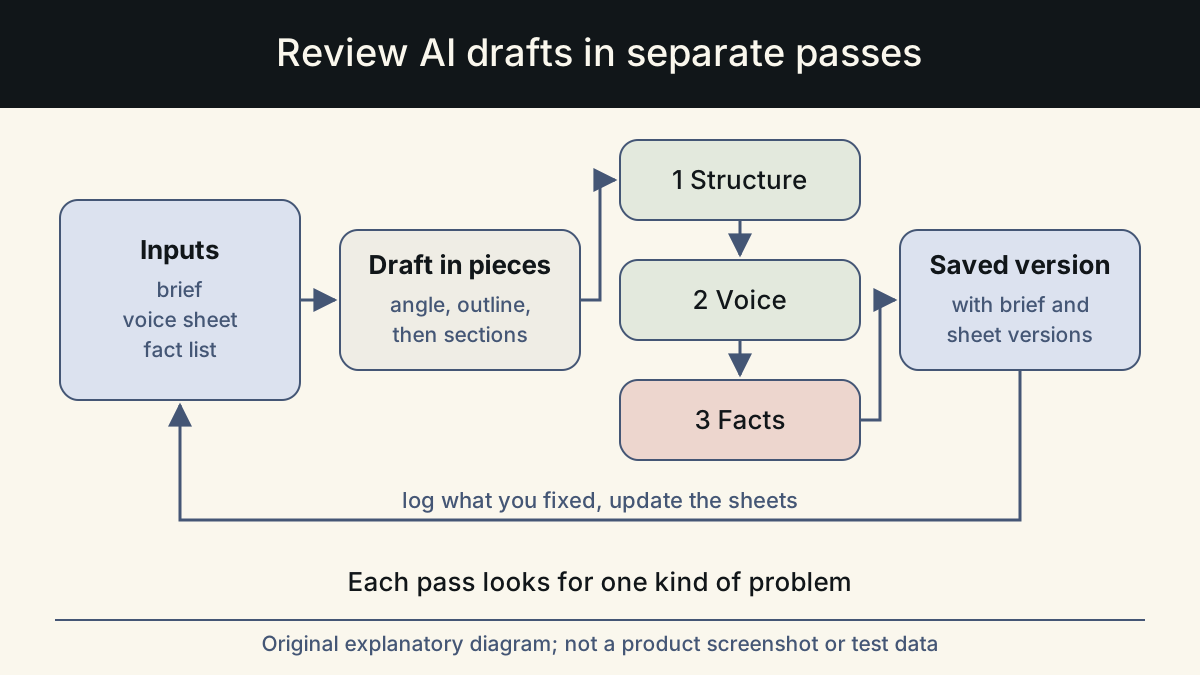
- After each piece, note any error the review caught and add a rule to the brief so it does not happen again.
Where a profession-aware tool fits
You can run everything above with a document of saved briefs and a checklist. The work is in keeping the source of truth current and doing the review every time, not in the tool.
Whalory is one way to have this structure built in. It is a writing workspace for professionals who write with AI. It has task-specific forms and workflows for copywriters, UX writers, content writers, product managers, marketers, customer support, sales, recruiting and PR. It adds industry context, brand voice settings and a review step that keeps approved facts and removes invented claims. The Online Studio runs in the browser, with free trial credits and no card needed. The free Core package installs as a skill in Claude Code, Codex, Cursor, VS Code Copilot or Gemini CLI. The examples in this article are illustrative, not customer results.
Sources
- Prompting best practices (Claude documentation)
Used the advice to treat the model as a capable new colleague who needs explicit context on norms and workflows.
Checked: November 10, 2026
- Understand content design (GOV.UK publishing guidance)
Used the principle that content design starts with user needs.
Checked: November 10, 2026
- Prompt engineering guide (OpenAI)
Used as general background on giving models clear instructions and reference material.
Checked: November 10, 2026
This article was written and reviewed with AI assistance. The sources above are there for you to check. Weigh the advice against your own situation.
Try this method on your own writing
Spotted a mistake or something unclear? Report it on GitHub. The article name and the section are enough; do not put confidential details in a public report.