Draft a press release with AI that contains only confirmed facts and quotes the named people have approved.
Where AI press release drafts go wrong
A press release is a public record. Journalists copy from it, investors read it, and search engines keep it long after the news is old. That makes it one of the worst places for a model to fill a gap with something that merely sounds right.
Language models are good at the shape of a press release. They know the headline, the dateline, the lead paragraph and the boilerplate. They are much less reliable on the content inside that shape. Ask for a launch release with a thin brief and see what comes back. You will often get a launch date nobody agreed and a customer count from nowhere. You may also get a market-size figure with no source and a quote your chief executive never said.
None of these errors look like errors. They are written in the same confident register as the true parts, which is why they slip through a quick read. The PRSA Code of Ethics asks members to be honest and accurate in all communications and to investigate the truthfulness of information released on behalf of a client. An AI draft does not change that duty. It moves the work from writing to checking, and the checking has to be deliberate.
- Invented numbers: user counts, growth rates, market sizes, savings.
- Invented quotes, or real quotes edited until the speaker would not recognize them.
- Dates, prices and availability that were still under discussion.
- Superlatives such as first, only or leading that nobody can support.
- Partner or customer names used without their permission.
Build the fact sheet before you prompt
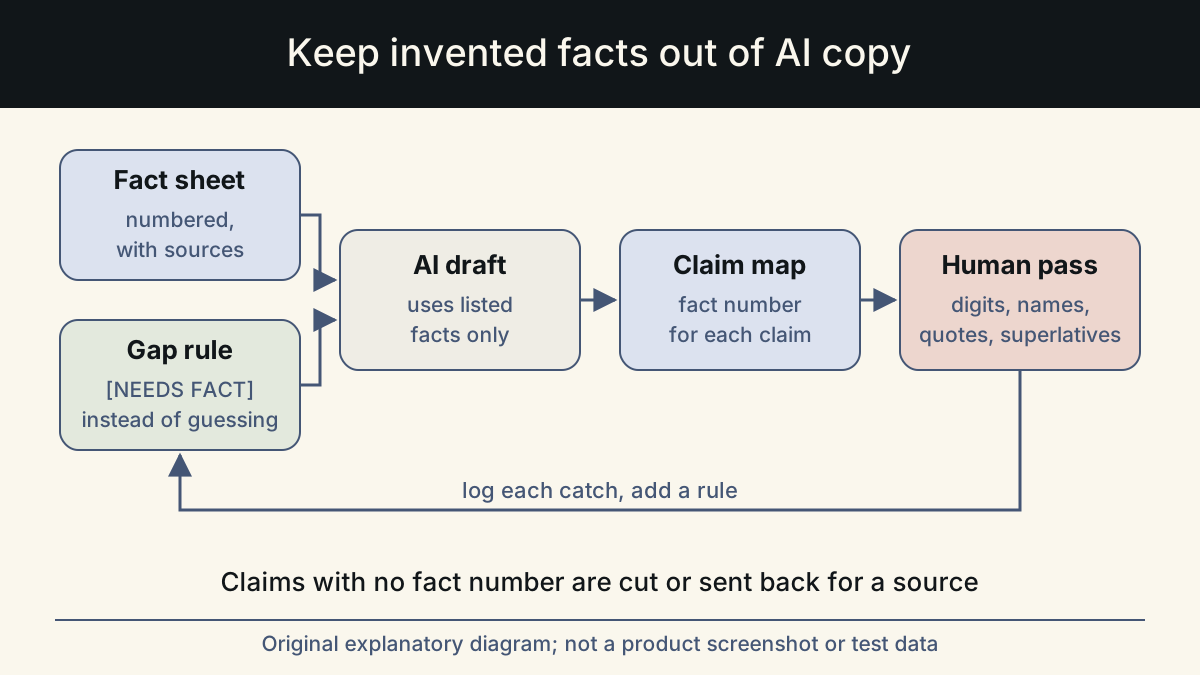
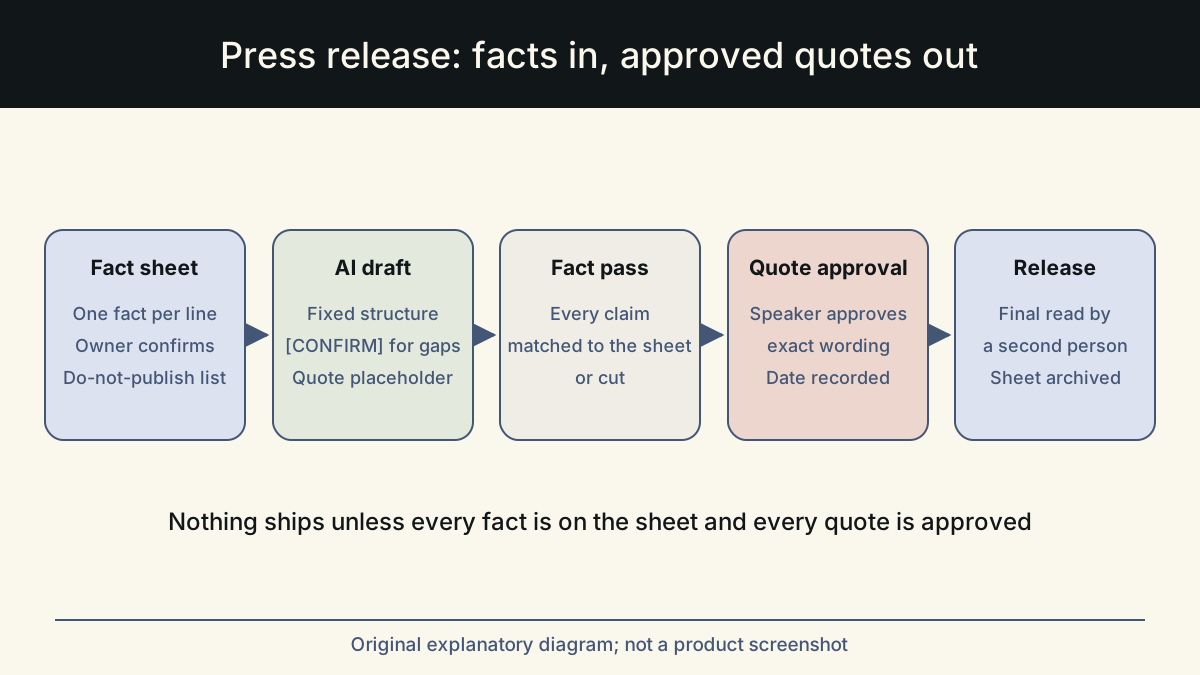
The fix starts before the AI sees anything. Write a short fact sheet that holds every claim the release is allowed to make, and give each line an owner who has confirmed it. The model then works from a closed list instead of from its general sense of what launches usually include.
Keep the fact sheet plain. It is not a draft. One fact per line, with the exact wording that is safe to publish and the name of the person who confirmed it. If a fact is not on the sheet, it does not go in the release. If someone wants it in, they add it to the sheet and confirm it first.
Put anything that is still undecided in a separate list marked do not publish. Telling the model what it must leave out is as useful as telling it what to include, because a model that knows a price exists will be tempted to mention it.
| Fact sheet field | Illustrative entry | Confirmed by |
|---|---|---|
| What is announced | Offline mode for the field inspection app | Product lead |
| Availability | All paid plans, from 3 March | Product lead and legal |
| Who it is for | Inspectors working without mobile signal | Product marketing |
| Proof point | Tested with two pilot customers in January (no names) | Customer success |
| Quote | Approved text from the named speaker, pasted verbatim | The speaker |
| Do not publish | Pricing changes, pilot customer names, roadmap dates | PR lead |
Give the AI a fixed structure
A fixed structure makes review faster because every release has its facts in the same places. It also gives you a way to tell the model exactly what each part may contain. Anthropic's prompting guide recommends being clear and direct and giving the model the context a new colleague would need. For a press release, that means naming the sections and the source for each one.
Paste the fact sheet into the prompt and ask the model to build the release only from it. Ask it to write [CONFIRM] wherever it wants a detail that is not on the sheet, rather than supplying one. A draft with three visible gaps is far easier to finish than a draft with three invisible inventions.
- Headline: what happened, in plain words, under about twelve words. No superlatives.
- Dateline and lead: city, date, and the news in one or two sentences that answer who, what, when and where.
- Body: why it matters to the reader, with each claim taken from the fact sheet.
- Quote: a placeholder only. The model may suggest topics, not words.
- Availability: dates, plans and regions exactly as written on the fact sheet.
- Boilerplate: your standard company paragraph, pasted, never regenerated.
- Media contact: name, role and email from the fact sheet.
Quotes belong to the person who says them
The quote is the part of a release most often written by AI and least often checked. A model can produce a fluent executive quote in any tone you ask for. That fluency is the problem: the quote reads as a real statement by a real person, and once published it will be attributed to them in coverage.
Treat every quote as the speaker's property. The AI can help in two honest ways. It can suggest what the quote should cover, such as the reason for the decision or what changes for customers. It can also tidy a quote the speaker has already given you, as long as the speaker approves the tidied version. What it should not do is supply words and a name together.
Record the approval. Keep a short note with the final text, the speaker's name and the approval date. It saves an argument later. It also helps when a journalist asks whether the quote can be used elsewhere.
Run a fact pass line by line
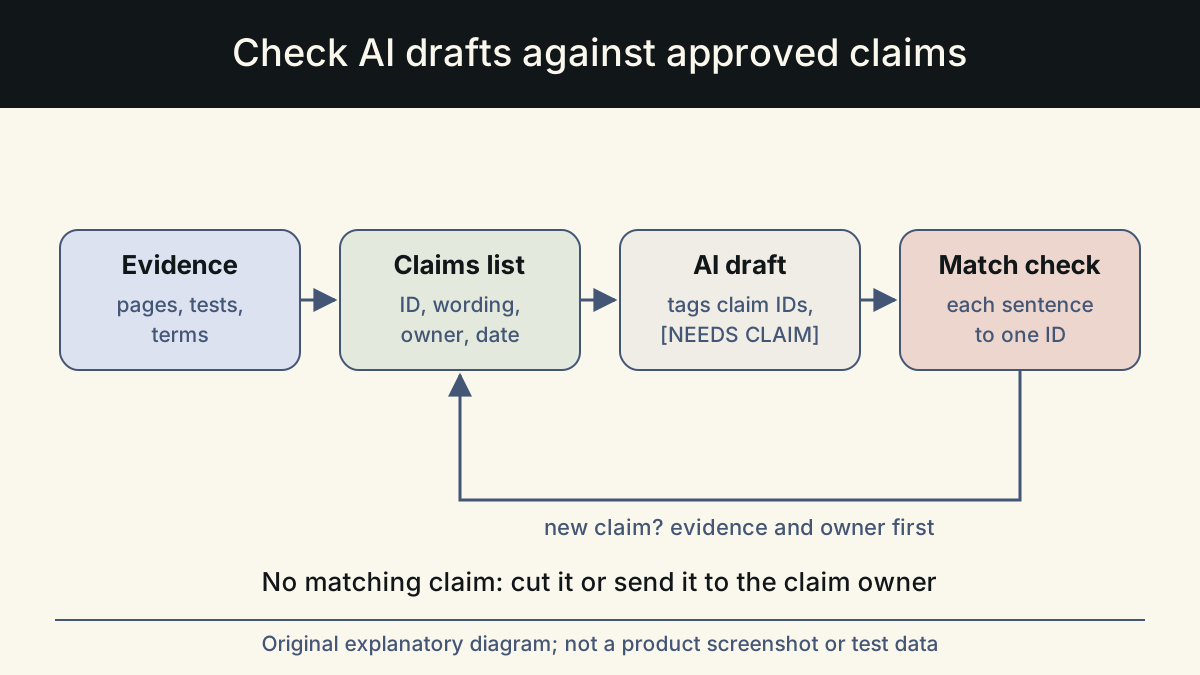
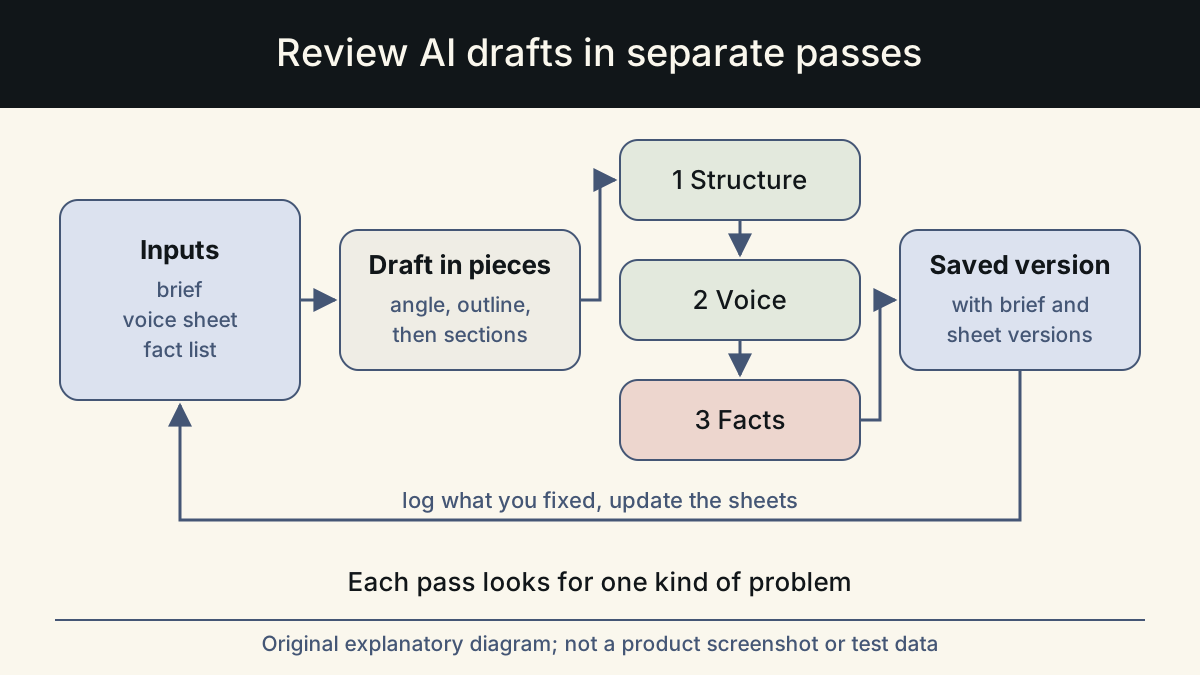
Once the draft exists, read it against the fact sheet one sentence at a time. Do not read it for flow first. Reading for flow makes you trust it, and trust makes you skim the numbers. Highlight every claim, find its line on the fact sheet, and either match it, fix it or cut it.
Then read once more for plain language. The digital.gov plain language guides are a useful reference here: short sentences, common words, and the main point first. A press release that a reporter can quote without rewriting is more likely to be used accurately.
- Every number appears on the fact sheet with the same value and unit.
- Every date, price, plan and region matches the fact sheet exactly.
- No customer, partner or investor is named without written permission.
- No first, only, leading, best or similar claim unless the fact sheet has proof.
- Every quote matches the approved text word for word and names the right person and role.
- Nothing from the do-not-publish list appears, even reworded.
- All [CONFIRM] markers are resolved or the sentence is removed.
- Boilerplate and media contact are the current approved versions.
Make it a repeatable workflow
The order matters more than the tool. Fact sheet first, structured draft second, fact pass third, quote approval fourth, and a final read by someone who did not write it. Keep the fact sheet with the published release, so the next release can reuse confirmed lines such as the boilerplate and the product description instead of asking the model again.
Whalory is one way to run this. It is a writing workspace for professionals who write with AI. It has task-specific forms for professions including PR, and a review step that keeps approved facts and removes invented claims. The Online Studio runs in the browser as a brief, an AI draft within a credit limit, your review and a saved version. If you already work in an AI assistant such as Claude Code or Cursor, the free Core package installs there as a skill. The examples in this article are illustrative, not customer results.
Sources
- PRSA Code of Ethics
Used the provisions on honest and accurate communication and on investigating the truthfulness of information released for a client.
Checked: November 10, 2026
- Prompting best practices (Claude documentation)
Used the advice to be clear and direct and to give the model the context a new colleague would need.
Checked: November 10, 2026
- Plain language guide series (digital.gov)
Used as the reference for plain-language review of the final draft.
Checked: November 10, 2026
This article was written and reviewed with AI assistance. The sources above are there for you to check. Weigh the advice against your own situation.
Try this method on your own writing
Spotted a mistake or something unclear? Report it on GitHub. The article name and the section are enough; do not put confidential details in a public report.