Set up an AI drafting routine for support replies that only states confirmed facts, makes no promises the team cannot keep, and fits the customer's situation.
What goes wrong with AI support replies
Support replies are a natural fit for AI drafting. Many questions repeat, the replies follow a pattern, and agents are under time pressure. The risk is that a model is very good at sounding helpful, and sounding helpful is not the same as being correct.
Four problems show up again and again when teams start drafting replies with AI:
- Invented policy: the draft states a refund window, a fee waiver or a shipping time that is close to the real one but not the same.
- Promises nobody approved: "We will fix this by Friday" or "I have escalated this to our engineers" when nothing of the kind has happened.
- Tone that ignores the situation: the same cheerful opener for a billing error, a lost order and a thank-you note.
- Apology padding: three sentences of regret before the answer, which reads as scripted and delays what the customer needs.
Ground every draft in the case and the policy
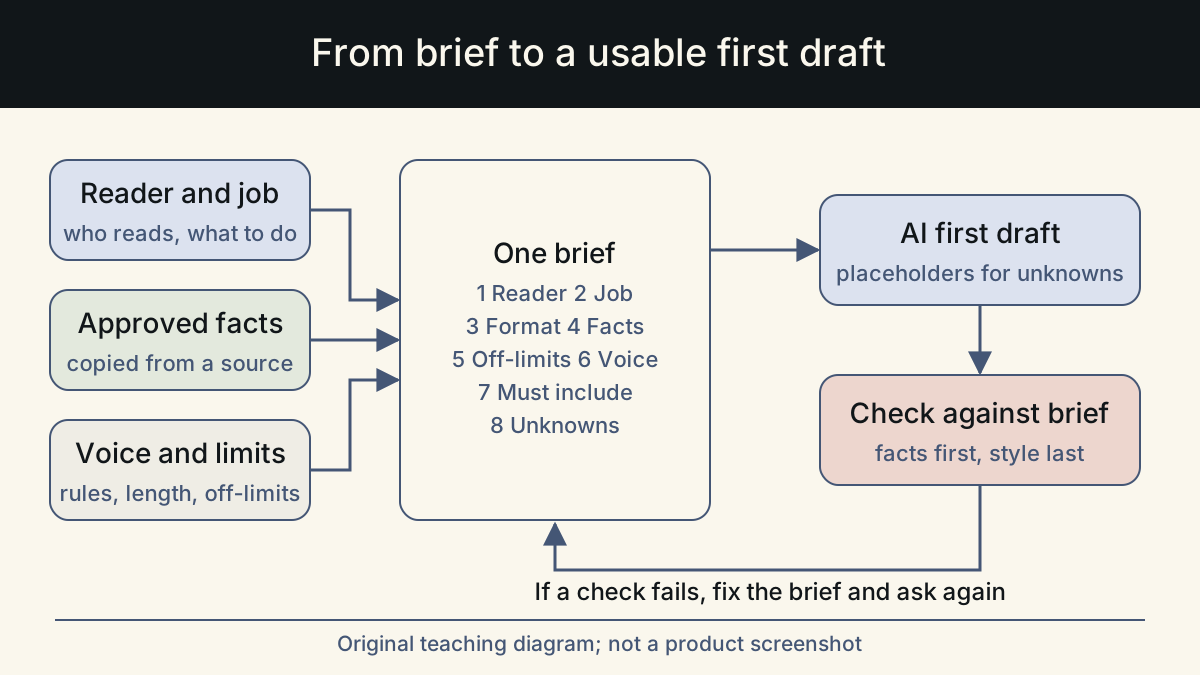
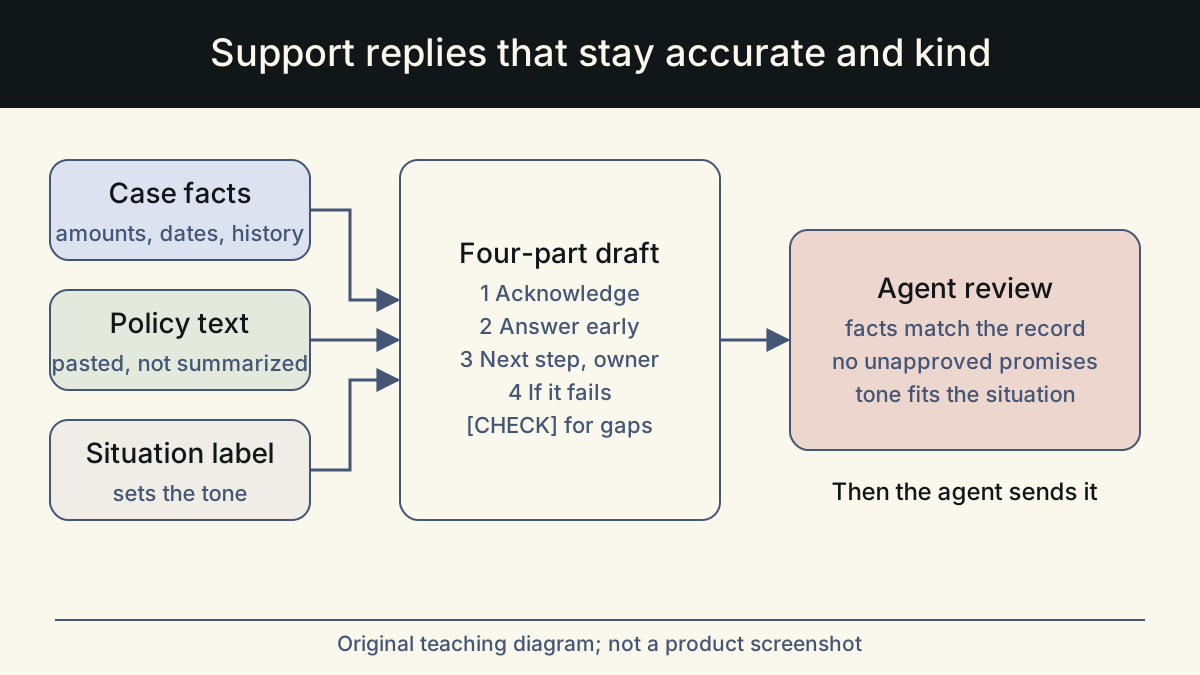
The model can only be as accurate as the material you give it. For each reply, supply three things: the customer's message, the facts of the case from your systems, and the exact policy text that applies. Paste the policy rather than summarizing it. A summary is where the small errors come from.
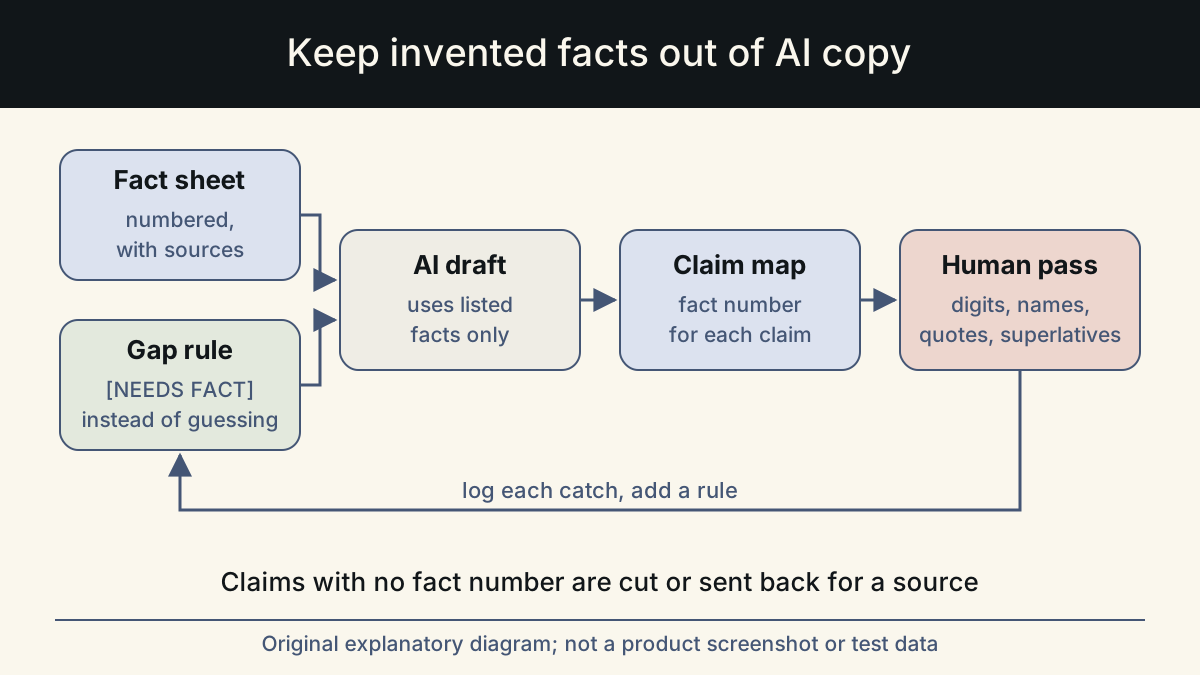
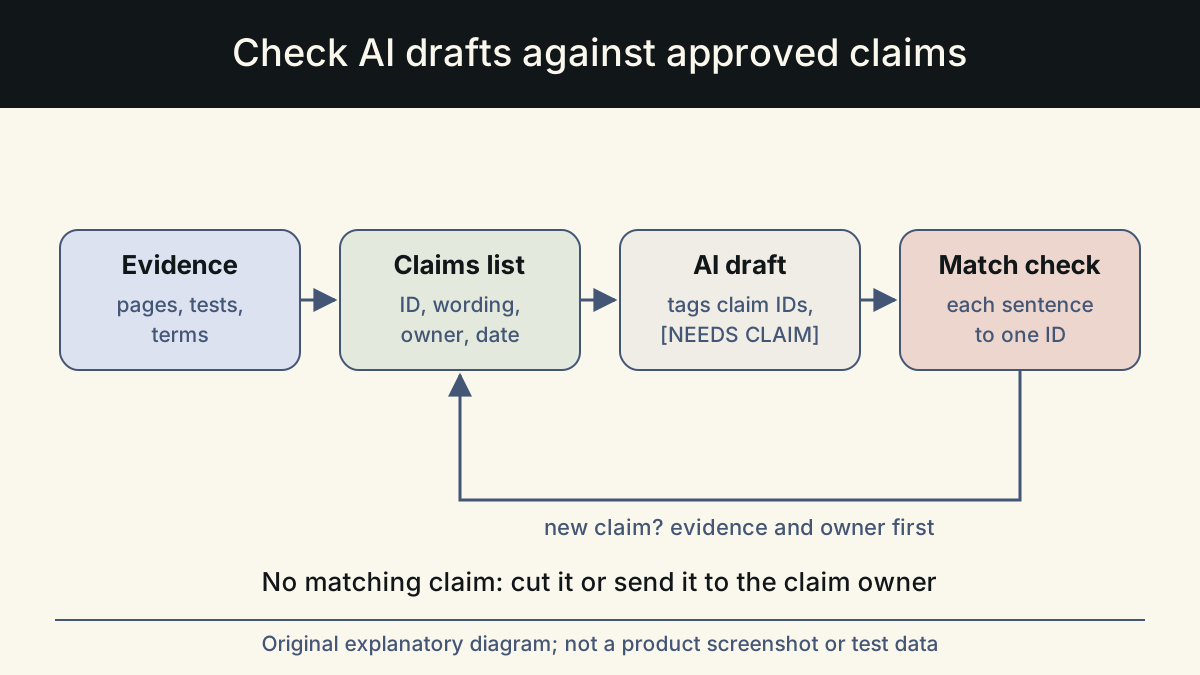
Then tell the model what it may not do. Anthropic's guidance on reducing hallucinations recommends three habits. Allow the model to say it does not know. Restrict it to the documents provided. Ask it to remove any claim it cannot support with a quote from those documents. For support, that becomes a short instruction block you reuse on every ticket:
Keep the policy excerpts short and current. If your help center and your internal policy disagree, fix that first. A model given two versions of a rule will pick one, and you will not know which.
- Use only the case facts and policy text below. Do not use general knowledge about how companies usually handle this.
- If the answer needs a fact that is not provided, write [CHECK: what is missing] instead of guessing.
- Do not promise a date, a refund, a credit or an escalation unless it appears in the case facts as already approved.
- List every factual claim you made at the end, with the line of the source that supports it. The agent deletes this list before sending.
A four-part structure for most replies
A fixed structure makes drafts easier to review, because the agent knows where to look for each piece. Most replies fit these four parts:
One: acknowledge the specific problem in one sentence, using the customer's own description. Two: give the answer or the outcome, stated plainly and early. Three: say what happens next and who does it, with a time frame only if it is confirmed. Four: tell the customer what to do if that does not solve it.
Ask the model to keep the acknowledgement to one sentence and to put the answer in the first paragraph. If the honest answer is no, it should say so clearly and then offer whatever alternative the policy allows. A clear no with a real option is kinder than a vague maybe that leads to another ticket.
Keep the closing simple. A line such as "Reply to this email if anything here is unclear" is enough. Skip sign-offs that wish the customer a wonderful day after a bad experience; they read as automatic.
Match tone to the customer's situation
Mailchimp's content style guide separates voice from tone. Voice is the brand's personality and stays the same. Tone changes with the reader's state of mind, and the guide asks writers to consider how the reader feels before choosing words. It also notes that clarity matters more than entertainment. That distinction is useful for AI drafts: keep the voice rules fixed, and tell the model which situation it is in.
Nielsen Norman Group describes tone along four spectrums: humor, formality, respectfulness and enthusiasm. For support replies, the situation label mostly moves two of them. Enthusiasm and humor go down as the problem gets more serious, while respectfulness stays high in every case.
Add a one-line situation label to every request. The table below is a starting point that you can adapt to your own ticket categories.
| Situation | What the customer needs first | Tell the model to avoid |
|---|---|---|
| Billing error on our side | Confirmation of the mistake and the exact correction | Hedging, upbeat openers, blaming the payment provider |
| Order delayed or lost | Where it is now and the next confirmed step | Delivery dates that are not in the tracking data |
| How-to question | The steps, in order | Long empathy statements, marketing about other features |
| Request we cannot grant | A clear no, the reason, and any real alternative | Implying it might change, or apologizing at length |
| Angry message after repeated contact | Proof that someone read the history, and ownership | Scripted phrases, asking for details already given |
Example: a delayed refund
The case: a customer canceled within the refund window, was told the refund would arrive, and is writing for the second time. The case facts show the refund was issued four business days ago. The policy says refunds take up to ten business days to appear, depending on the bank. The example is illustrative, written for this article.
Compare the two. The first version spends four sentences on apology and enthusiasm, then states a 24 to 48 hour time frame that appears nowhere in the case or the policy. The second answers in the first two sentences and uses the amount, date and card from the case record. It quotes the real time frame and gives a next step the team can keep.
Review before sending, and know when not to draft
The agent who sends the reply owns it. A quick review in a fixed order catches most problems in under a minute:
- Every amount, date, name and order number matches the case record.
- Every policy statement matches the policy text, including conditions and exceptions.
- No promise of a date, refund, credit or escalation that is not already approved.
- No [CHECK] placeholders left, and the claim list at the end is deleted.
- The answer is in the first paragraph, and the tone matches the situation label.
- The customer knows what happens next and what to do if it does not.
Set clear limits for AI drafting
Decide in advance which tickets should not start with an AI draft at all. Common examples are legal threats, safety issues, data or privacy requests, and anything involving a vulnerable customer. Write those categories into your team's process, so the decision is not made under time pressure.
Review a sample of sent replies every week. Look for the same three things each time: facts that did not match the record, promises that were not approved, and tone that missed the situation. When one pattern repeats, add a line to the instruction block or the ban list rather than correcting it ticket by ticket.
Whalory is one way to run this routine. It is a writing workspace for professionals who write with AI. It offers task-specific forms for roles including customer support, plus brand voice settings and a review step that keeps approved facts and removes invented claims. The examples in this article are illustrative, not customer results.
Sources
- Reduce hallucinations (Claude documentation)
Letting the model admit uncertainty, restricting it to supplied documents, and retracting claims it cannot support with a quote.
Checked: November 10, 2026
- Voice and Tone (Mailchimp Content Style Guide)
The difference between a constant voice and a tone that adapts to the reader's state of mind, and clarity over entertainment.
Checked: November 10, 2026
- The Four Dimensions of Tone of Voice (Nielsen Norman Group)
Tone described as four spectrums: humor, formality, respectfulness and enthusiasm, used to frame the situation labels.
Checked: November 10, 2026
This article was written and reviewed with AI assistance. The sources above are there for you to check. Weigh the advice against your own situation.
Try this method on your own writing
Spotted a mistake or something unclear? Report it on GitHub. The article name and the section are enough; do not put confidential details in a public report.